

Need AI video upscaling software, but don’t know which one is the best?
Whether you’re a YouTuber or filmmaker who wants to create well-looking videos, AI video upscaling software will help you create high-quality videos to keep your audience engaged.
All AI video upscaling software listed below can convert your videos from 4k to 8k resolution without sacrificing quality.
This blog post will review the best AI video upscaling software based on its features, pros and cons, use cases, and pricing.
What Are The Best AI Video Upscaling Software
Here is my list of ranked and reviewed best AI video upscaling tools.
1. Topaz Video Enhance AI

The #1 on the list of best AI video upscaling software is the Topaz Video Enhance tool.
Topaz Video Enhance AI is a powerful and easy-to-use video upscaling software that can take your old, low-resolution videos and transform them into high-quality works of art.
This software uses Artificial Intelligence to guess what the missing details in your video might look like and fill in those details accordingly. The results are impressive.
You don’t need to be a video editing expert to use Topaz Video Enhance AI. Select your input video, choose your desired output resolution, and let the software do its magic.
Topaz Video AI is one of the best upscaling video software powerful desktop tool for Windows and Mac that uses AI to enhance video quality.
Live Workshop: How His Students Made Over $400M In Affiliate Commission
It’s upscaling the resolution of videos, reducing noise and creating a low motion effect of videos, making it a better AI software for restoring old footage or improving the recording for professional use.
The AI video tool allows users to transform low-quality videos into high resolution and convert SDR to HDR through its user-friendly interface.
The Topaz Video AI has advanced features to make your images and videos look more professional.
With this tool, you can upscale images, restore memories, upscale videos to 4k and much more.
Top Features
Topaz Video Enhance AI has various features, making it among the best AI video upscaling software.
It supports various input video formats, including AVI, MP4, MOV, and MKV.
It also supports output resolutions up to 8K (7680×4320), so you can turn your old 720p videos into stunning 4K or even 8K masterpieces.
AI Upscaling: Increase the video resolution to 4k,8k while making low-resolution footage more usable.
Reducing Noise: Remove noise and blur, and bring clarity to poor-quality videos.
SDR to HDR: Convert SDR videos to HDR to correct interlaced videos.
Create cinematic slow-motion videos.
Pros
- Access to the free AI tool
- Better video resolution with slow-motion effects
- Videos restoring details
- Access to a video editing tool and support
- AI-powered videos
Cons
- You can experience your upscale videos with a free account
- Requires a learning curve for beginners
Pricing
Topaz Video Enhance AI pricing is very reasonable, especially considering the quality of the results. The software is available for a one-time fee of $199.
Bottom Line
Video quality is vital for various reasons. If you produce videos, it’s essential to have high-quality software to ensure that your visuals are clear and crisp.
Topaz Video Enhance AI is an excellent video upscaling software that helps you improve the quality of your videos without incurring high costs.
It’s easy to use and produces results, so you should check if you want to enhance your video content with the Topaz Video AI tool.
2. Pixop

Pixop is a video upscaling software that uses Artificial Intelligence to improve the quality of your videos.
The results are impressive, and Pixop is extremely easy to use. Select your input video, choose your desired output resolution, and let the software do its magic.
Pixop Pricing
Pixop has no processing fees; you only pay for what you use in processing, and the price is per gigapixel.
Pixop Features
The ability to upscale videos to 4K or even 8K resolution
A wide range of input video formats is supported, including AVI, MP4, MOV, and MKV
Support for output resolutions up to 8K (7680×4320)
An easy-to-use interface that makes
Bottom line
Suppose you’re a YouTuber, filmmaker, video editor, or post-producer. In that case, Pixop offers a quick, simple, and inexpensive service and provides quality and resolution to your work without investing in an expensive setup.
Pixop AI upscaling software is best suited for people with smaller archives. To start with Pixop AI video enhancer software, you only need a browser and an internet connection.
Check Out Pixop AI Now
3. AVCLabs Video Enhancer AI

AVCLabs Video Enhancer uses super-resolution to upscale videos to 4K, or up to 8K. Its multi-frame convolutional neural network enhances the quality of video, removes motion artefacts, and stabilises video shakes.
The AVCLabs Video Enhancer AI also remove overlay noise and produces natural results.
This software is an excellent option for those who want the best video quality without investing in new hardware.
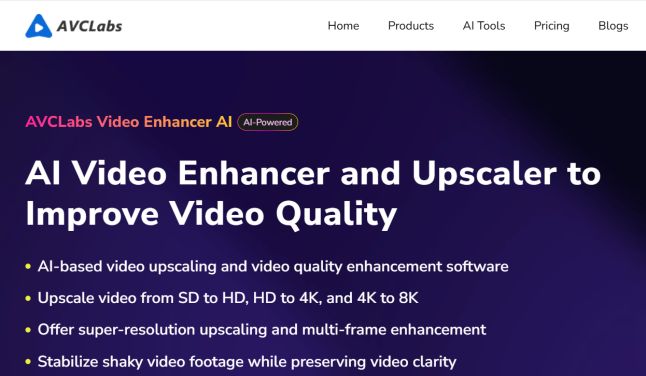
AVCLabs is another video enhancer and upscale software to improve video quality.
The AVCLabs stand out by using AI to improve video quality.
Upscale videos from SD to HD, from HD to 4k and to 8k.
If your video has low resolution, you can use AVCLabs to upscale and improve the resolution and multi-frame enhancement.
The AI video tool goes beyond upscaling; it also stabilises shaky video footage while preserving the clarity of the video.
Another great feature of the AVCLabs is the ability to colourise black and white footage and make it look more professional.
It blurs faces, backgrounds and other moving objects in any video.
For anyone looking for the best AI video enhancer tool to improve video quality, try AVCLabs software.
Top Features
- It is a photo enhancer AI
- It is a Video enhancer AI
- AI video background removal
- It is an upscale and denoiser ai
- It produces super-resolution videos and images
- It is built with multi-frame enhancement.
The AVClab uses an AI to increase the resolution of images up to 4x and create new pixels of image information.
It is also an AI face retouching software that uses AI to recognise faces and improve both portraits and selfies.
AVClab software also turns a black-and-white photo into colour, meaning it is an AI picture coloriser.
Pros and Cons
Pros
Powerful and flexible model to enhance videos
- Boost video quality and up to 3x faster
- Video editing made easy
- Blur faces and any objects in the video
- It improves the quality of the video with colour calibration
- It supports multiple formats
- Processing multiple files at once
- It supports multi-frame and single-frame enhancement.
Cons
- Its processing speed is slow
- It requires a training model to understand how it works
Pricing
It has three plan options.
- It costs $39.9 per month
- $119.9 per year
- And the lifetime cost is $299.90
Bottom Line
For those who need a video and photo upscaler and Enhancer, look no further; AVClab AI software is simply the best in the market.
4. GDFLab Video Enhancer AI
GDFLab provides a cloud-based image and video upscaler. GDFLab’s upscaling technology is based on AI, which makes it much faster and more accurate than other software. Users can scale their images and videos to any size without losing quality.
GDFLab AI-powered solutions are created to upscale and remaster low-resolution or low-quality videos and images in real-time.
The AI video enhancer software uses deep learning and neural networks to fill in missing pixel data to reduce noise and sharpen details, producing in higher-definition video content.
GDFlab Key Features
PikaVue: It enables users to upload and enhance videos and images on the web.
GDFPlay is a mobile application that provides real-time AI video enhancement for live streams, movies, and online lectures, etc.
G-Enhancer is a PC software for Windows and Mac that allows users to upscale and remaster video files.
Mobile SDK: Enable users to utilise GDFLab’s AI upscaling within their own mobile apps, thereby reducing network costs.
Scale images and videos to any size without losing quality.image upscale up to 4 times better, and high-quality image resolution. AI denoise and detection
Pros and Cons
Pros
- Works for both PC and mobile
- It saves more network costs on mobile
Cons
- It has limited features
- It has a different price for mobile and PC
Pricing
- There are three pricing plans for the GDFLab video enhancer Al:
- One month costs $59.99
- One year costs $79.99
- Lifetime Access costs $99.99
Bottom Line
GDFLab video enhancer Al is a video software that can improve the resolution and quality of your videos by up to 4x. This tool can convert low-definition videos into FHD or even 4K UHD. If you need to improve the quality of your videos, GDFlab is worth checking out.
5. DVDFab Video Enhancer AI
DVDFab’s Video Enhancer AI can detect and enhance low-quality videos or those initially made with poor image quality. It uses neural networks to train its model to work better on different media types.
When played back with DVDFab’s Video Enhancer AI, you’ll enjoy watching your favourite movies in higher resolution because the enhancements are automatic—there’s no need for manual tweaking like before!
Features
- Upscale video to 4K resolution using AI Enhancement Technology.
- The built-in video editor offers a variety of editing options.
- Use AI to improve video quality and enlarge low-resolution videos.
- Improving the quality of old videos
- Upscaling low-resolution videos to 4K
- Improved image quality
- Neural networks for training
- Processing is entirely automated.
- Lossless Video Size Compression for Any Mobile Device
Pricing
The DVDFab Video Enhancer AI costs $59.9 for a one-time payment, plus a 30-day money-back guarantee.
Pros and Cons
Pros
User-Friendly: Easy-to-use interface for beginners.
Powerful AI Enhancement: The software uses deep learning for upscaling, such as converting SD to 4K/8K/, denoising, and colour correction.
Offers batch processing and handles various video formats.
Great for revitalising blurry, noisy, or low-resolution videos, DVDs, etc
Works on both Windows and macOS.
Cons
- Slower processing, and it can require high CPU/GPU power
- Upscaling longer videos can take more time.
Bottom Line
If you’re looking for the best Enhancer AI tool to upscale your videos to 4K, look no further than DVDFab.
With its AI Enhancement Technology, DVDFab can upscale your videos with incredible accuracy, giving you a crystal-clear 4K picture that will make all your friends and family say, “Wow!”
Instantly get an enhanced viewing experience on your 4K TV or computer monitor with DVDFab’s All-In-One.
This program will upscale videos from 1080p to 3840 x 2160 resolutions, making them suitable for computers and media players that support higher resolutions, such as those found on newer television sets.
Mentioning this ability demonstrates how it can generate accurate images that allow users to see every detail clearly when playing back footage indoors during bright lighting or outdoors under low light settings.
6. Dzine
Dzine is one of the best free AI video upscalers that offer advanced features to enhance your video.
Dzine Video Upscaling Software AI is a deep learning tool for video delivery, and it is the first AI tool to power precoding before encoding.
iSize provides a high-quality experience to end users and enables studio streaming in resolutions up to 4 K and 8 K.
Features
- It produces superior
- Bitrate saving
- Quality boost
- Codec independent
- Machine learning
- Energy efficiency
- Content independent
Pricing
The iSize pricing depends on hours, starting from $5 per hour.
Bottom Line
iDzineVideo Upscaling Software is great if you’re looking for AI, which powers precoding before encoding any video with deep learning video delivery.
The video processing delivers up to a 50% reduction in the cost of streaming any open-source or encoders for live, social media, VoD, gaming, virtual interaction and IoT.
So, I have listed some of the best AI video upscaling software to help you improve your videos and get better results.
Other best AI video upscalers that are free :
AI Video Upscaling Software: Round Up
Here we are.
We have looked at some of the best AI Video Upscaling Software that can fit your business.
Some are free, while some are paid. If you want the best AI Upscaling Software, you must invest a little money to get faster results.
Thanks to top video upscaling software, we can watch our favourite videos in resolutions we never thought possible—and the best part is that this technology is only getting better.
If you want to improve your viewing experience, then consider using one of these upscaling AI tools.
What is AI Video Upscaling Software?
AI Video Upscaling Software is a tool that uses artificial intelligence algorithms to improve a video’s resolution. This is done by using super-resolution to add more pixels to the video or by using motion estimation to remove artefacts caused by movement.
How Video Upscaling AI is Changing the Way We Watch Videos
In the past, if you wanted to watch a video in 4K or even 8K resolution, you had to find a video filmed or created in that resolution.
Thanks to advancements in video upscaling AI software, it’s possible to take a lower-resolution video and increase its resolution while maintaining image quality.
This means that we can now watch our favourite videos in resolutions we never thought possible—and the best part is that this technology will only get better as time goes on.
What is Video Upscaling AI?
Regarding video upscaling AI, the goal is to take a lower-resolution video and use artificial intelligence to increase its resolution while maintaining image quality.
How Does Video Upscaling AI Work?
There are different methods for video upscaling AI.
The most common method is super-resolution, which involves using deep learning algorithms to learn the mapping between low—and high-resolution images.
Once this mapping has been learned, the algorithm can generate a high-resolution version of a given low-resolution image.
Another standard method for video upscaling AI is called top-down processing. This involves taking a low-resolution image and breaking it into smaller pieces before rebuilding it at a higher resolution.
This approach often results in better image quality than super-resolution but can also be more computationally intensive.
FAQ
Which is the best AI upscale?
The best AI Upscaling Software are:
- Topaz Video AI
- AVCLabs Video Enhancer AI
- DVDFab Video Enhancer AI
- Winxvideo AI
Is there a free AI video upscaler?
Yes, there are many free AI video upscaler software you can use to enhance your video, such as Topaz Video AI and GDFLab Video Enhancer AI
If you have any questions about the best AI video upscaling software, let us know in the comments section.
Related Posts
- 12 Best Video Editing Software For PC In 2024
- 10 Best Photo Management Software In 2024
- Video Content Tips For Affiliate Marketing
- 9 Best Whiteboard Animation Software [2024]
- 8 Best Podcast Software to Edit and Record Your Show
